Custom Work Desk Guide
On This Page
Background
Because of work and study needs, I wanted a large desk of my own. The first time I customized a desk, I wanted to work while standing, so I ordered extra-tall desk legs. It turned out that I could not stand it for more than half an hour, so that attempt was fairly unsuccessful.
Starting in 2023, I began recording the process of customizing my desktop for future iteration. I also did some research on bilibili1.
Two key factors when choosing a computer desktop panel:
- Size: 140cm \(\times\) 80cm \(\times\) 3cm
This size was based on the study desks provided by my university library. At the time, I was preparing for the postgraduate entrance exam (though I did not pass), and I spent a lot of time at that study desk, so I found that size very comfortable to use.
- Material: solid wood
Reference for solid wood quality and price: “pine, elm” --> “ash, white oak” --> “cherry, black walnut”
If I have enough money in the future, I can consider the Taobao store: Muxiaobei Furniture, and go straight for cherry or black walnut.
Version 1: 2023
Time: 2023-2024
Budget: within 500 CNY, with the desktop panel and desk legs purchased separately
Desk Panel
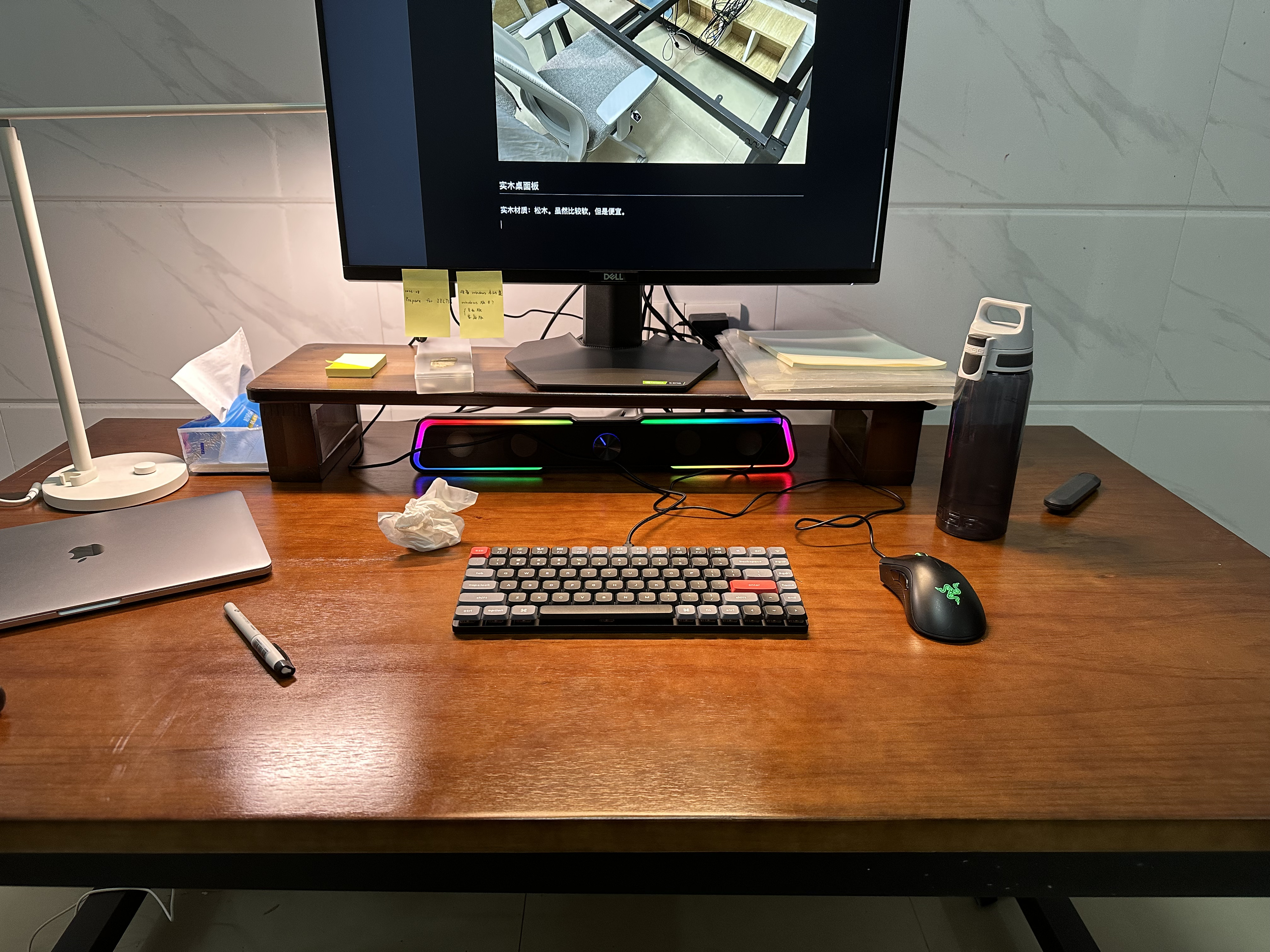
Solid wood material: pine. It is relatively soft (even pressing hard with a fingernail can leave a mark), and the seller did not support drilling a hole in the middle, but it was cheap (cost: 350 CNY). As shown below:
Desk Legs
Desk Leg Height
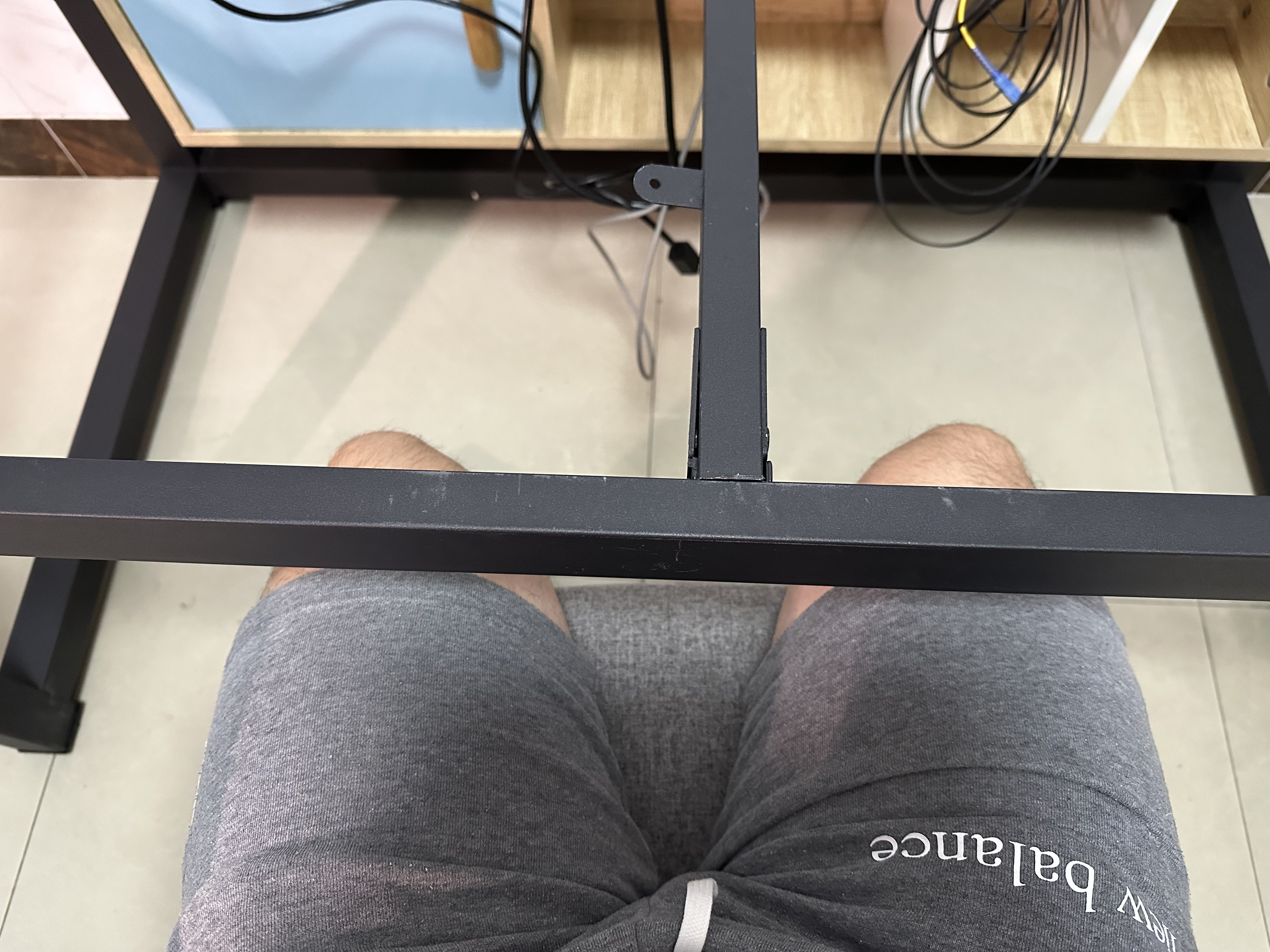
Because I am relatively short, I thought that since the desk legs were being customized, I should order them a bit lower. So I customized them to 65cm. After receiving them, I found they were too low, and my thighs got somewhat stuck when I sat in the chair.
Desk Leg Shape
It is best for the desk legs not to enclose all four sides of the desktop (although that does make the desk very stable), because it makes it harder to install other equipment, especially a monitor arm.
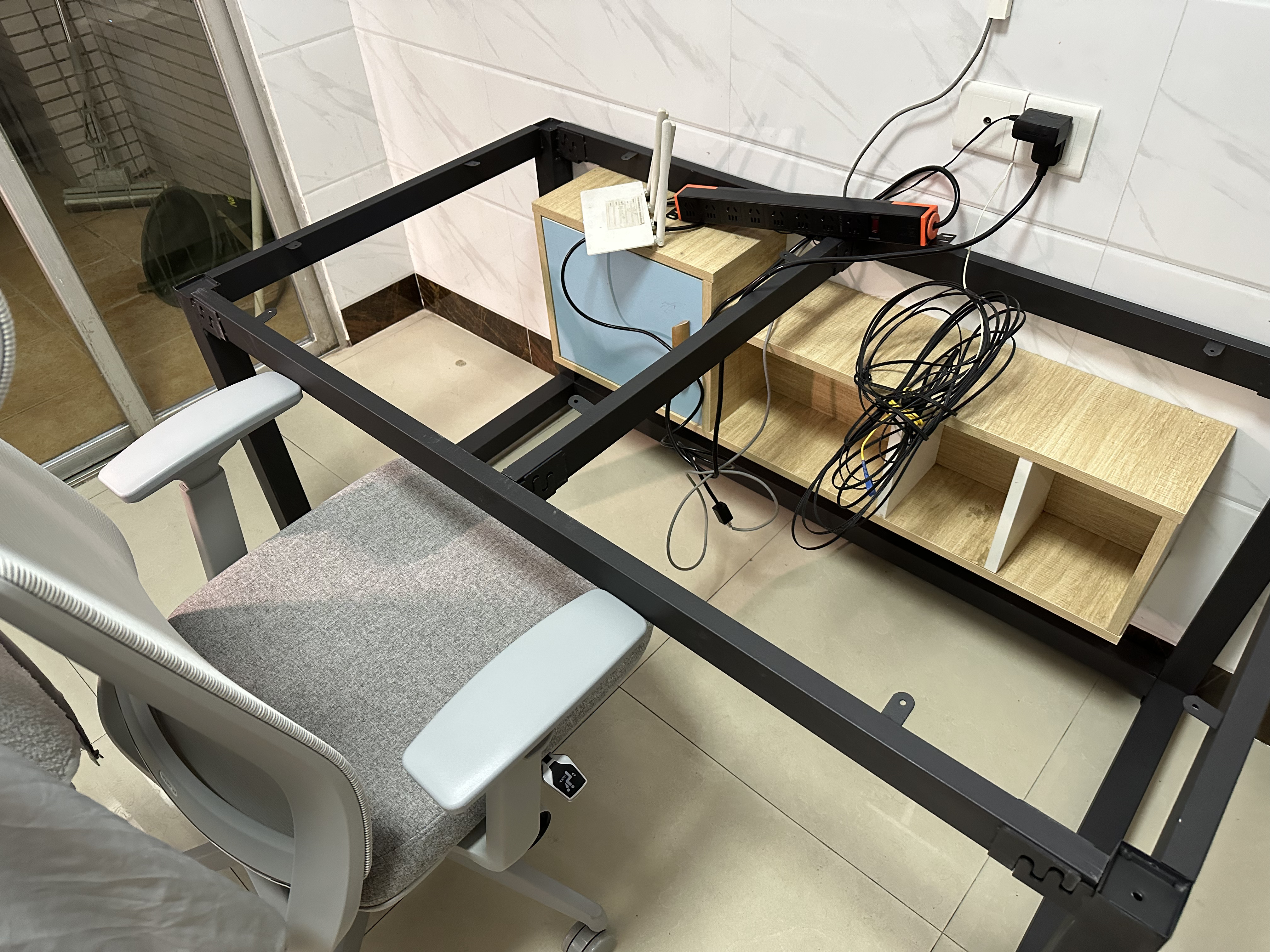
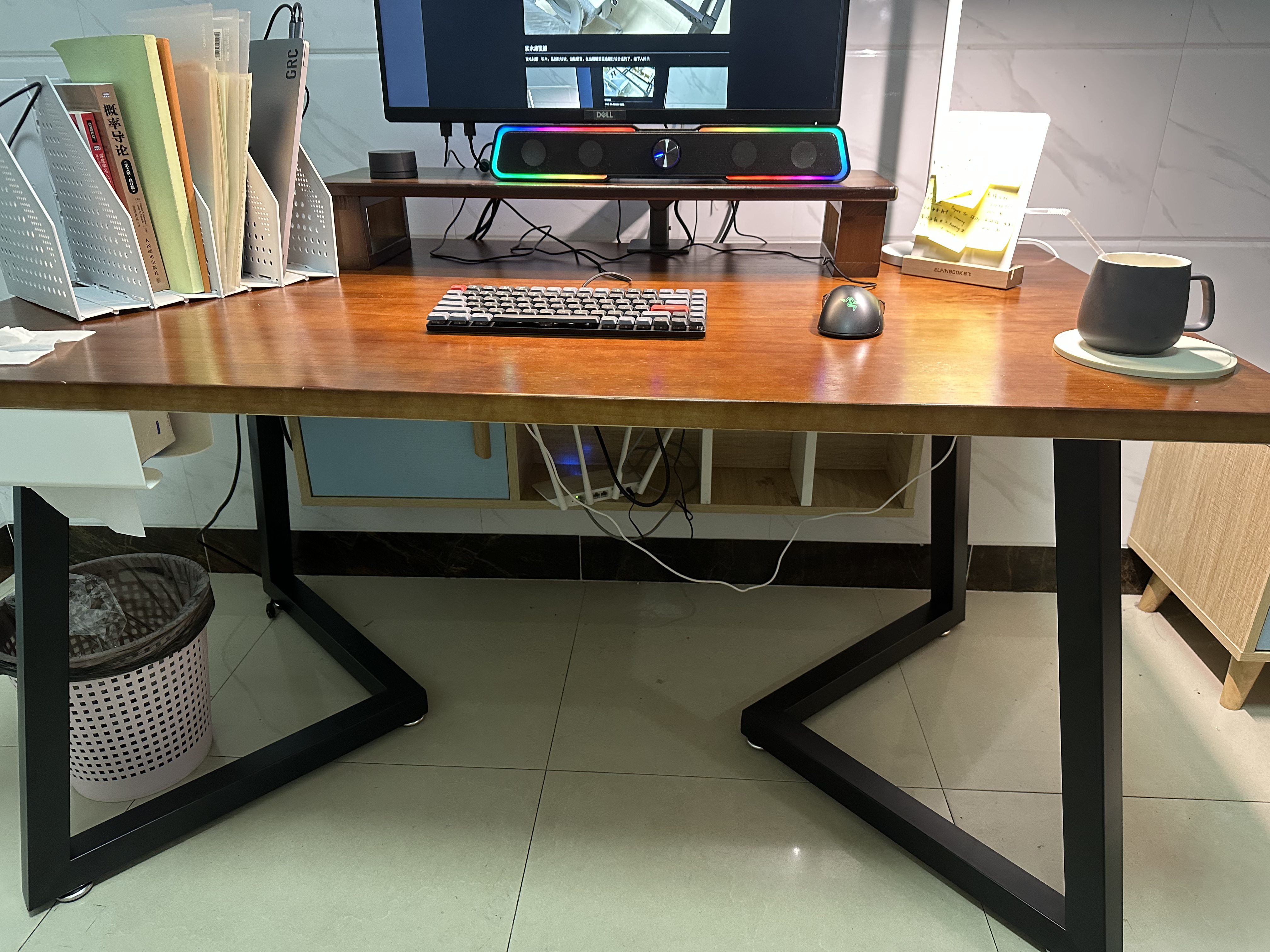
Later, I bought another set of desk legs with a height of 70 cm, costing 148 CNY, as shown below. This made it possible to install a monitor arm at the edge of the desk. (Although the stability is not as good as the previous one, it is stable enough as long as I do not shake it hard, which is sufficient for me.)
Review
Desk Legs
- Do not make the height too low. Just use the default height directly, usually around 70cm to 75cm.
Desktop
- Desk corners and edges that are easy to bump into should be rounded and smoothed so that hitting them will not hurt. The side against the wall does not need this as much, because it can fit flush against the wall.
- It is best to drill a hole in the middle of the panel, preferably a larger one, for installing a monitor arm and routing cables.
Desktop Equipment
- Monitor arm: makes it easier to adjust the horizontal position of the monitor, and frees up desk space underneath the monitor.
- Desktop light source: if there is only one monitor, choose a monitor light bar (such as Xiaomi). If there are two monitors, a monitor light bar is not enough, and a larger light source is needed.
- Power strip: I bought a PDU power strip with 8 outlets. It is barely enough for now. I feel it could use two more sockets, or additional USB / Type-C power ports.
Version 2: 2024
Time: 2024-2026 (present)
Budget: within 1000 CNY, with the desktop and desk legs purchased separately
After changing jobs at the end of 2023, I moved to Shanghai (the previous desk was left in Guangdong), so I customized a new desk and continued iterating.
Desk Panel
Material: elm (harder than pine, supports drilling a hole in the middle). Cost: 560 CNY.
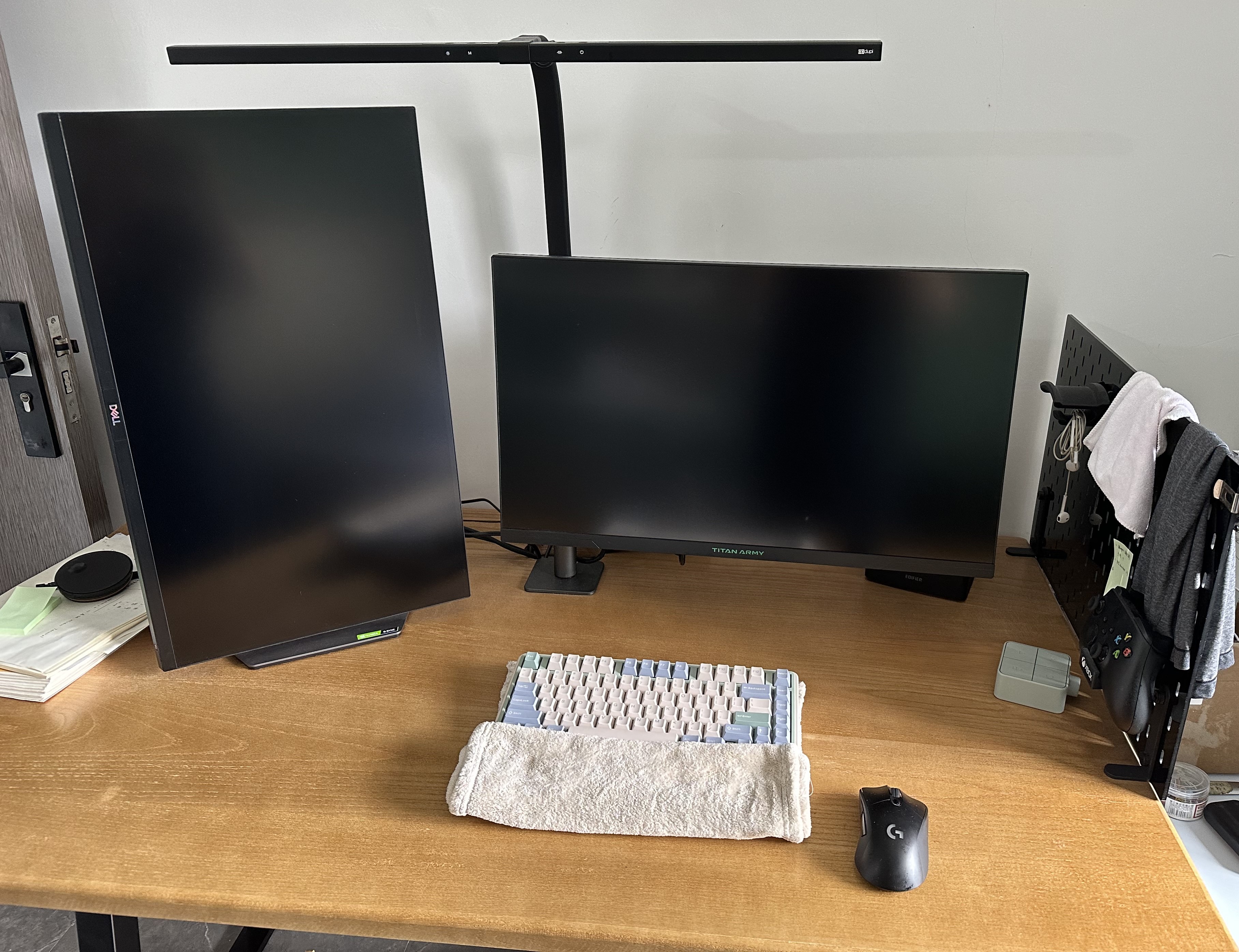
The desktop drilling diagram is shown below:
Desk Legs
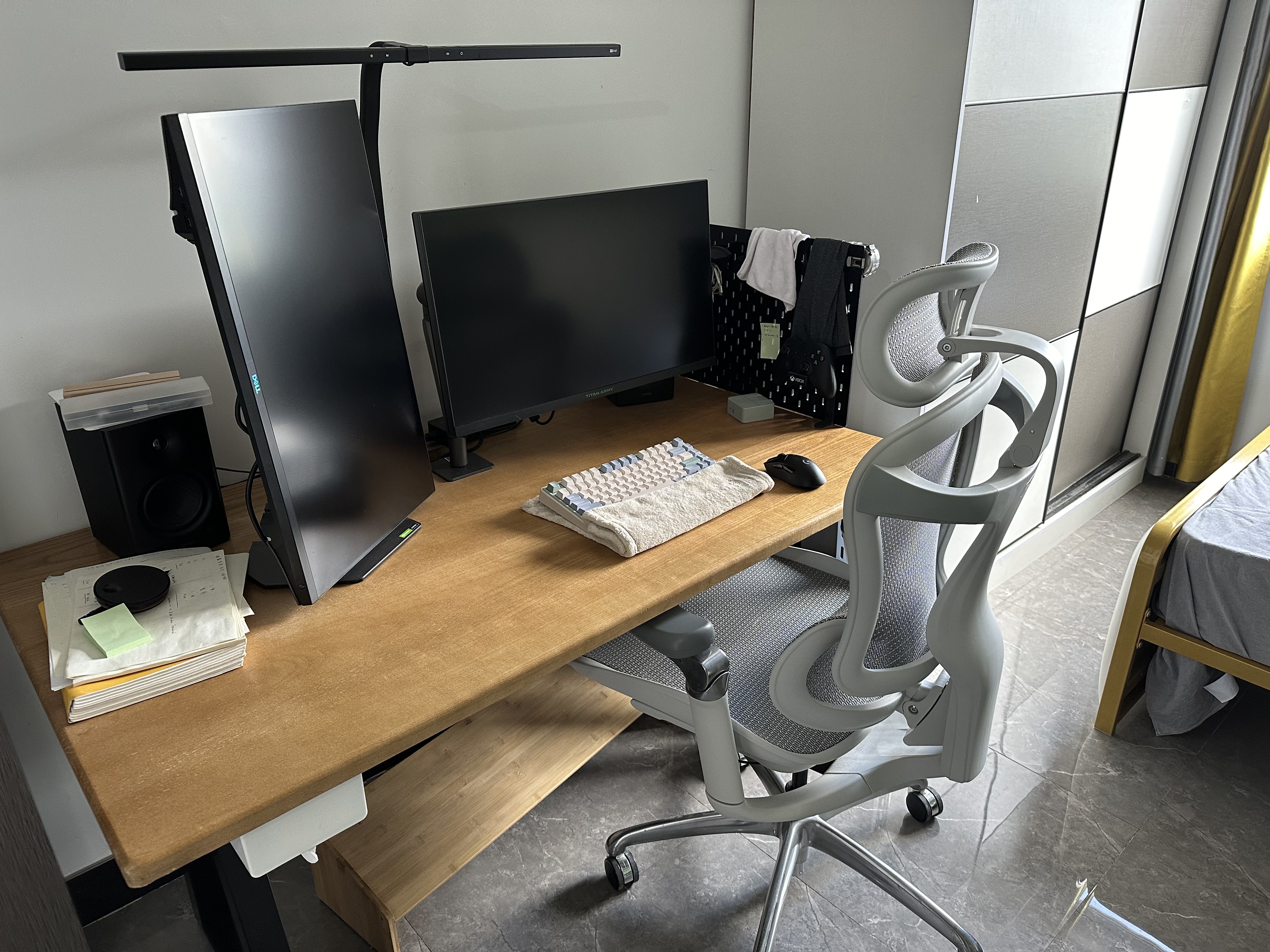
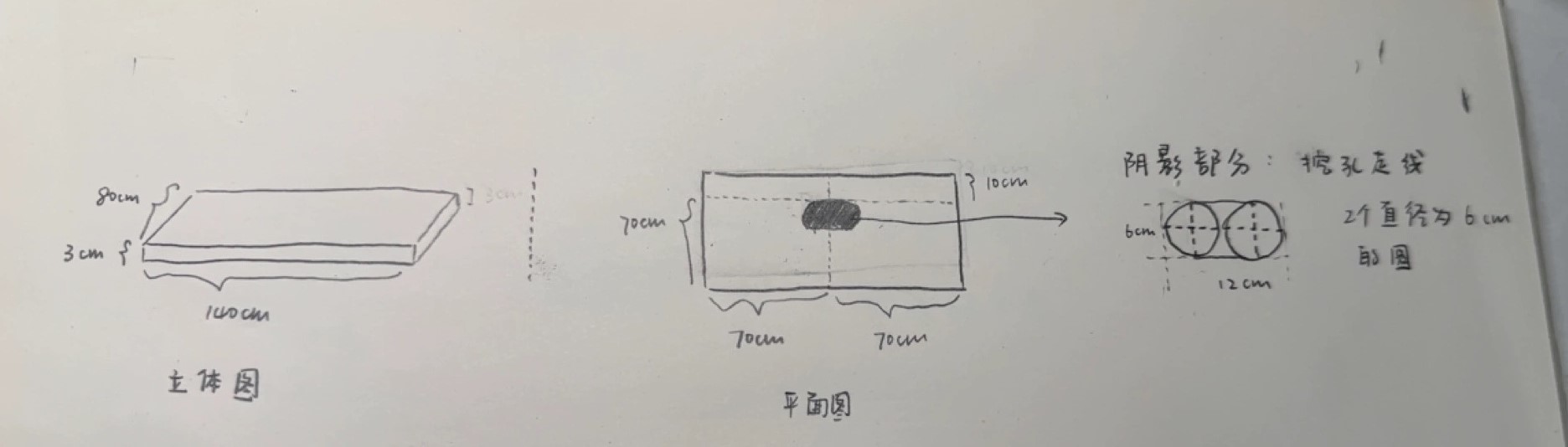
Learning from the previous lessons about height and shape, this time I chose the desk legs shown below (cost: 276 CNY), with a length of 115cm \(\times\) width of 45cm \(\times\) height of 72.5cm.
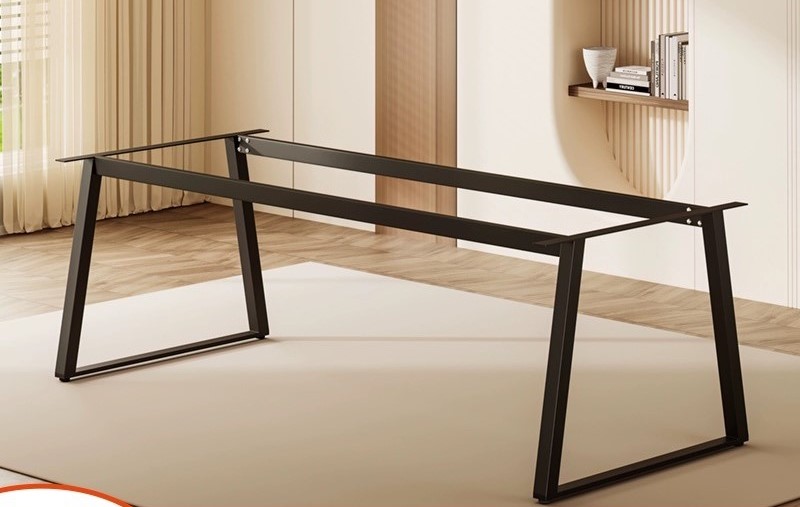
This size is one step smaller than my desktop, so I could fine-tune where the legs were fixed to the desktop. I placed the middle crossbar of the desk legs as close as possible to the rear half of the desktop, meaning the side against the wall. This makes the crossbar less likely to hit my thighs or the chair armrests. The chair armrests can also sit closer to the desktop and be pushed under the desk, as shown below:
Review
Desk Legs
This set of desk legs learned from the previous experience: standard height, rear-positioned crossbar, and chair armrests that can be pushed under the desk. I am quite satisfied with it.
Desktop
The elm desktop supports drilling, and the rounded edges reduce bumps. I am also quite satisfied with it.
I still have one thought here: should the desktop have an inward curved cutout? The goal would be to make it easier for my hands to reach all areas of the desktop. I have not yet figured out how to determine that curve.
Desktop Equipment
- Under-desk cable management
I did some research on bilibili2, and the result is pretty good. It is hard for my feet to kick the cables.
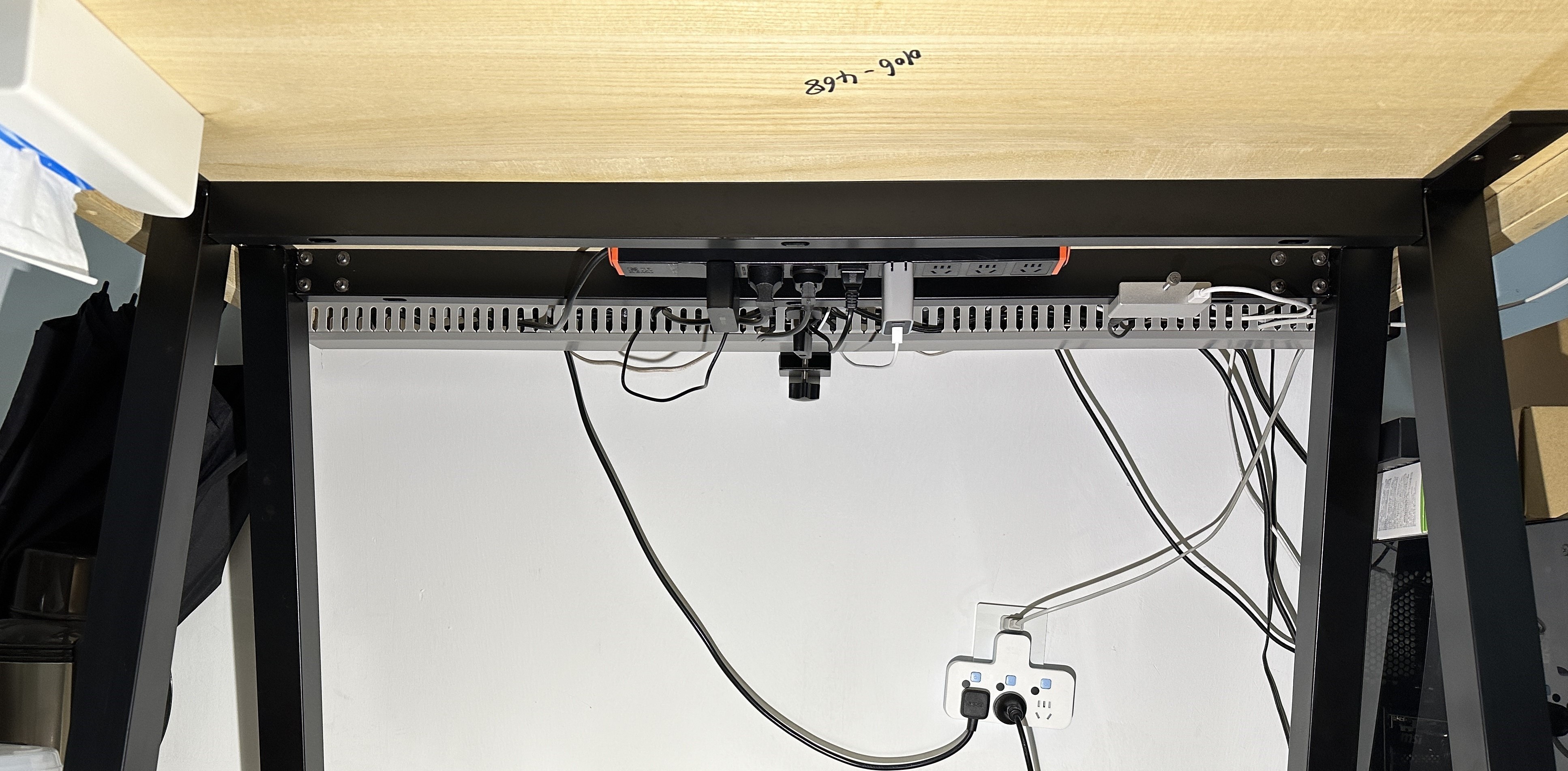
- Keyboard wrist rest
I use a towel (brand: Sanli) as a keyboard wrist rest, because I can control the height by folding the towel, and it can also wipe off hand sweat. This was inspired by a Zhihu answer3.
- Desktop light source
I chose a Depu floor-standing monitor light bar (1031 CNY). The effect is very good: it can illuminate the entire 1.4 m desktop and two monitors. However, it blocks my monitor arm, as shown below:
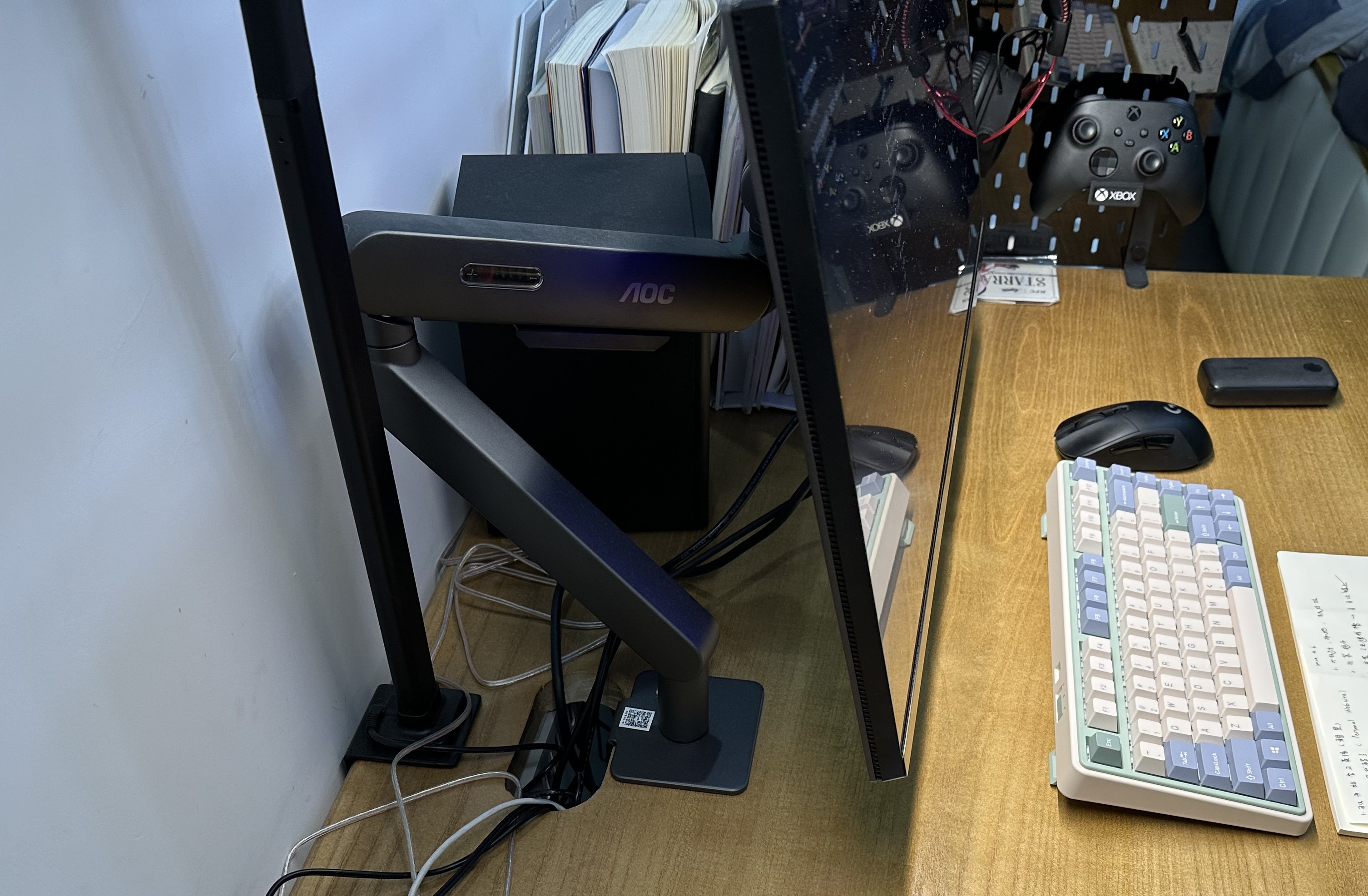
This happened even though I had already left 10cm + 6cm of length, but it still got blocked.
To solve this problem, I have two ideas:
- Mount the lamp on the wall so it does not occupy desktop space.
- Increase the distance between this drilled hole and the rear edge of the desk.
Personally, I lean more toward the first option: trying to fix the lamp tube directly to the wall.
Next Iteration
Increase the budget to 1000-2000 CNY.
References
-
Recommended to Save: Computer Desk Buying Guide, IKEA | Taobao | Solid Wood | Standing Desk, bilibili ↩
-
A Perfect Desktop Cable Management Solution for Under 100 Yuan. Want to Learn More? bilibili ↩
-
Do You Need a Wrist Rest for a Mechanical Keyboard? Can a Keyboard Wrist Rest Protect Your Wrists? - Answer by Miao Xiaoxuan - Zhihu ↩